Last updated: June 24, 2026 | By Fociva Tech Team | 12 min read
Security bottleneck
Best VPN Services 2026: Secure Your Online Work Before It Costs You
If you work online, your VPN is not just for streaming. It protects the sessions, dashboards, logins, and accounts you use every day — WordPress, affiliate programs, email, payment tools, and public Wi-Fi connections.
VPN comparisonOnline business securityAffiliate-readyUpdated for 2026
Affiliate disclosure: Fociva may earn a commission when you click affiliate links and make a purchase, at no extra cost to you. VPN prices, server counts, app ratings, and plan details can change, so always check the provider’s current terms before buying.
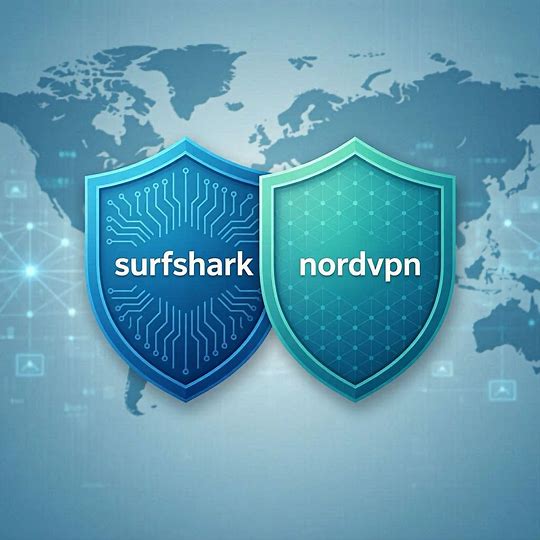
Quick Answer: NordVPN and Surfshark are the strongest practical picks for most online workers. NordVPN is a strong fit if you want a premium security-focused VPN with good speed and privacy features. Surfshark is a strong fit if you want affordable protection across many devices. ExpressVPN, Proton VPN, PIA, Hide.me, and Windscribe are also useful depending on your privacy, streaming, free-plan, or customization needs.
The best VPN services 2026 are not only about hiding your IP address. For online business owners, creators, bloggers, affiliate marketers, and remote workers, a VPN protects the everyday access points that keep your business running.
Think about it practically. You log in to WordPress. You open affiliate dashboards. You check email. You use payment accounts. You test tools. You may work from cafés, hotels, airports, or shared networks. That is exactly where a VPN becomes part of your security stack.
The mistake is choosing a VPN only by the cheapest monthly price. The better choice depends on your devices, speed needs, streaming needs, privacy expectations, and how often you work on public or shared networks.
Not Sure If Your Real Bottleneck Is Security?
Take the free Fociva diagnostic first. It helps identify whether your next tool should solve security, content, traffic, conversion, focus, or automation.
Known for privacy focus and a useful free tier with limitations.
Free plan may not be ideal for streaming.
Customization
Private Internet Access
Appeals to users who want more settings and flexibility.
Can feel less beginner-friendly.
Free or casual use
Hide.me / Windscribe
Useful if you want to test VPN protection before paying.
Free plans usually have restrictions.
Best VPN Services 2026
The providers below are kept from the original Fociva page, but the recommendations are now organized by buyer intent instead of generic “best VPN” claims.
1. ExpressVPN — Best Premium VPN for Speed, Travel, and Streaming
PremiumStreamingTravel
ExpressVPN is a strong premium option for people who want a simple VPN experience with fast apps, broad country coverage, and strong performance across devices. It fits users who travel often, stream regularly, or simply want a polished VPN without much setup friction.
Best angle: premium VPN experience with strong speed and ease of use.
Best audience: travelers, streamers, remote workers, and users who prefer a polished app experience.
Watch out: it is usually positioned as a higher-priced VPN, so compare current discounts before buying.
Use it when: you want a premium VPN and price is less important than convenience and performance.
2. NordVPN — Best All-Around VPN for Online Business Security
SecuritySpeedOnline work
NordVPN is the best fit for many online workers because it balances security, speed, privacy features, and usability. If you log in to WordPress, email, affiliate dashboards, payment accounts, and cloud tools every day, this is the kind of VPN that makes sense as part of your basic security stack.
Best angle: secure daily online work without making the setup complicated.
Best audience: bloggers, affiliate marketers, remote workers, freelancers, creators, and small business owners.
Use it when: you want one strong VPN for work, browsing, travel, and general privacy.
3. Surfshark — Best Value VPN for Multiple Devices
Best valueUnlimited devicesFamilies
Surfshark is a strong choice if you want affordable VPN protection across many devices. Its biggest practical advantage is unlimited simultaneous connections, which matters if you protect a laptop, phone, tablet, browser, smart TV, and family devices under one plan.
Best angle: affordable VPN coverage for many devices.
Best audience: families, creators with multiple devices, remote workers, and budget-conscious users.
Useful features: unlimited device connections, privacy features, and browser-friendly protection.
Use it when: you want strong value and need VPN protection across several devices.
4. Proton VPN — Best Privacy-Focused VPN With a Free Plan
PrivacyFree planSecurity-focused
Proton VPN is a strong fit for privacy-conscious users. It is especially useful if you want to test a serious VPN before paying, or if your top concern is privacy rather than streaming performance.
Best angle: privacy-first VPN with a useful free tier.
Best audience: privacy-conscious users, students, light browsers, and people testing VPNs for the first time.
Watch out: free plans usually have server and streaming limitations.
Use it when: privacy matters more than entertainment features or maximum streaming flexibility.
5. Private Internet Access — Best for Customization
CustomizationAdvanced usersSettings control
Private Internet Access, often shortened to PIA, appeals to users who want more control over VPN settings. It may not feel as polished as some mainstream options, but it can be a good fit for people who like customizing how their VPN behaves.
Best angle: flexible VPN settings for users who want control.
Best audience: technical users, privacy-focused users, and people who like custom configurations.
Watch out: it may feel less beginner-friendly than simpler VPN apps.
Use it when: you care more about control and settings than a highly polished beginner experience.
6. Hide.me — Best Free VPN Option to Test First
Free planBasic privacyTesting
Hide.me is useful for people who want to test VPN protection before paying. A free VPN can be enough for light browsing or basic privacy, but it is usually not the right long-term solution for heavy streaming, daily business work, or multiple devices.
Best angle: try VPN protection without committing to a paid plan immediately.
Best audience: casual users, beginners, and people comparing free VPN options.
Watch out: free VPN plans often have usage, speed, or server limits.
Use it when: you want to test a VPN before deciding whether to pay.
7. Windscribe — Best Free/Low-Cost VPN With Extra Browsing Features
Free optionAd blockingCasual use
Windscribe is another practical option for casual VPN users, especially if you like the idea of browsing features such as ad-blocking and firewall-style protection. It can be useful for lighter use cases, though paid VPNs are usually stronger for business-critical browsing.
Best angle: affordable VPN protection with extra browsing features.
Best audience: casual users, students, light streamers, and people testing VPN tools.
Watch out: check current free-plan limits and supported locations before relying on it.
Use it when: you want a free or low-cost VPN with simple browser-focused protection.
VPN Comparison Table
VPN
Best For
Strongest Angle
Best User Type
Watch Out For
ExpressVPN
Premium VPN experience
Speed, travel, streaming, polished apps
Travelers, streamers, remote workers
Higher pricing compared with budget VPNs
NordVPN
All-around security
Privacy, speed, daily online work
Online workers, creators, affiliate marketers
Check current plan discount before buying
Surfshark
Multiple devices
Unlimited connections and value
Families, budget users, multi-device users
Make sure specific apps/features fit your devices
Proton VPN
Privacy-focused browsing
Privacy reputation and free tier
Privacy-conscious users and beginners
Free plan may not be ideal for streaming
Private Internet Access
Customization
Settings control and flexibility
Advanced users and privacy-focused users
Less polished for absolute beginners
Hide.me
Free VPN testing
Basic free privacy option
Casual users and beginners
Free limits and server restrictions
Windscribe
Free/low-cost browsing protection
Ad blocking and casual privacy
Students, casual users, light browsers
Check current data and location limits
Best VPN for Online Business Security
If you work online, the VPN decision is different from a casual streaming decision. Your real risk is not just “can I watch a show from another region?” It is whether you are logging into important accounts on networks you do not control.
For most online workers, NordVPN is the strongest all-around recommendation because it balances security, speed, app coverage, and practical privacy features. Surfshark is the better value pick when you need to protect many devices under one subscription.
Fociva rule: do not wait until after a hacked email account, exposed WordPress login, or compromised affiliate dashboard to care about online security. If you work online, security is not optional maintenance. It is part of the business.
Best VPN for Apple TV and Streaming
If streaming is important, you need to look at more than privacy claims. You need speed, stable apps, smart DNS options, and consistent performance across devices such as Apple TV, smart TVs, laptops, and mobile.
NordVPN, Surfshark, and ExpressVPN are the most practical names to compare first for streaming-heavy users. NordVPN is strong if you want security and streaming together. Surfshark is attractive if your household has many devices. ExpressVPN is the premium option if ease of use and performance matter more than price.
Are Free VPNs Worth It?
Free VPNs can be useful for testing, but they are rarely the best choice for serious online work. Free plans often have limits around server choice, speed, streaming, device coverage, or data usage.
Proton VPN, Hide.me, and Windscribe can make sense if you want to test VPN protection before paying. But if you rely on your internet connection for business, affiliate dashboards, WordPress, email, or client work, a paid VPN is usually the safer long-term decision.
Extra context: A VPN is only one part of online security. Also use strong unique passwords, two-factor authentication, and safe account recovery settings. For broader security guidance, review CISA Secure Our World and the Google 2-Step Verification guide.
Market Trends for VPNs in 2026
The VPN market is moving in three clear directions: more privacy awareness, more multi-device demand, and more security features bundled into everyday VPN apps.
Privacy matters more because users are more aware of tracking, public Wi-Fi risk, account security, and data collection. Multi-device coverage matters because one person may use a laptop, phone, tablet, smart TV, browser extension, and work device. Security bundles matter because people do not want five separate apps just to feel protected.
That is why value-focused VPNs like Surfshark and security-focused VPNs like NordVPN are especially relevant for online workers and creators.
Security Bottleneck? Start With the Right Protection Layer
If your quiz result points to security, start with the basics: VPN, password manager, 2FA, and safer login habits. A VPN is not the whole security stack, but it is a strong first layer for online work and public networks.
Final Verdict: Choose the VPN That Matches Your Real Risk
The best VPN services 2026 list has several strong options, but most users do not need to overthink it.
Choose NordVPN if you want a strong all-around VPN for online work, privacy, speed, and security. Choose Surfshark if you want better value across many devices. Choose ExpressVPN if you want a premium experience for travel and streaming. Choose Proton VPN if privacy and a usable free tier matter most. Consider PIA if you want customization, and look at Hide.me or Windscribe if you are testing free VPN options.
For Fociva readers building online income, publishing content, logging into WordPress, joining affiliate dashboards, and working from shared networks, the practical answer is simple: protect your access before it becomes a problem.
Fociva helps beginners choose AI, productivity, automation, security, and online business tools with a clear buyer-first framework. The goal is not to collect more subscriptions. The goal is to choose tools that fix a real bottleneck.
Frequently Asked Questions
What is a VPN and why do I need one?
A VPN, or Virtual Private Network, encrypts your internet connection and helps protect your browsing on public or shared networks. It can also mask your IP address and add privacy when you use online accounts, work tools, and streaming services.
Are free VPN services effective?
Some free VPN services can be useful for basic testing or light privacy, but they often have limits such as fewer servers, speed restrictions, data caps, or reduced streaming reliability. For daily online work, a paid VPN is usually safer.
How do I choose the best VPN for me?
Choose based on your real use case. Look at encryption, speed, device support, country coverage, no-logs policy, app quality, pricing, and whether you need streaming, travel, or business-focused security.
Can I use a VPN for streaming services?
Yes, many VPNs can help with streaming access and privacy, but reliability varies by provider, region, and streaming platform. Check current provider details before buying mainly for streaming.
What is the best VPN for online business owners?
NordVPN is a strong all-around choice for online business owners who want security, speed, and privacy features. Surfshark is a strong value choice if you need to protect many devices under one subscription.