Password Managers Content Creators Love: 4 Tools That Actually Work
Content creators have a password problem. Between social media accounts, email newsletters, cloud storage, client portals, and e-commerce platforms, the average creator manages 50-100 different logins. Remembering them all is impossible. Reusing passwords is dangerous.
Password managers solve this by storing encrypted credentials and generating unique passwords for each account. But not all password managers are created equal — especially for content creators who need to share access with collaborators, work across multiple devices, and maintain security without sacrificing convenience.
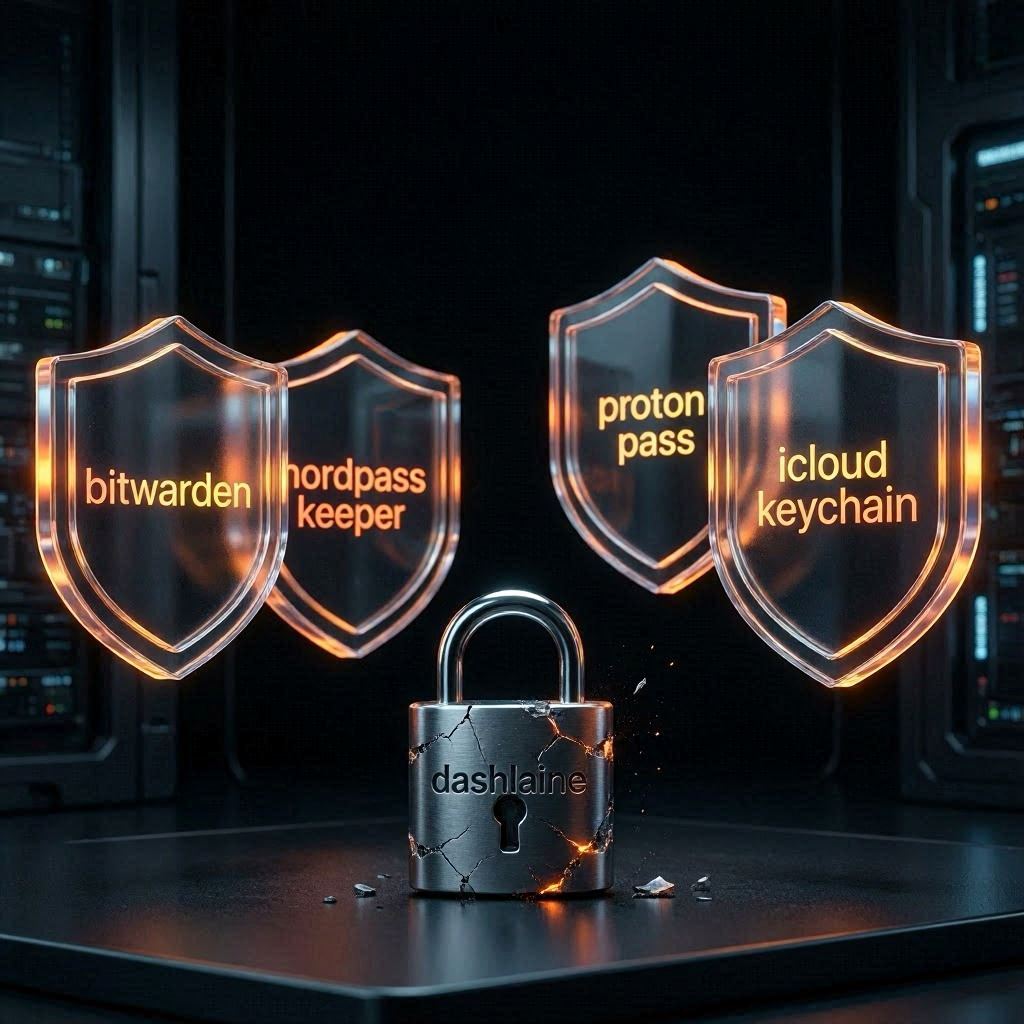
We compared four password managers that content creators actually use in 2026. The differences matter more than most comparison articles suggest.
Last updated: June 2026. Pricing verified from official websites.
What Content Creators Actually Need from Password Managers
Most password manager reviews focus on generic features. Content creators have specific requirements that most users don’t consider:
Secure Collaboration
Creators often work with editors, designers, virtual assistants, and clients. You need to share login credentials for tools like Canva, Google Workspace, and social media accounts without sending passwords via email or Slack.
The right password manager lets you share credentials securely — with granular permissions (view-only, edit, or full access) and the ability to revoke access when collaborators leave.
Cross-Platform Sync
Content creators work everywhere: desktop for editing, tablet for reviewing, phone for social media. Your password manager needs to sync instantly across all devices without manual intervention.
Strong Encryption
Creators often handle sensitive client information, unpublished content, and financial data. Zero-knowledge encryption means even the password manager company can’t see your data — only you can decrypt it with your master password.
Browser Extensions and Mobile Apps
You need password autofill that works reliably across Chrome, Firefox, Safari, and Edge — plus mobile apps that integrate with iOS and Android for on-the-go access.
#1: NordPass — Best for Budget-Conscious Creators
NordPass from the Nord Security team offers the best balance of price and features for individual creators. At $1.49/month billed annually, it’s significantly cheaper than competitors while maintaining strong security.
What NordPass Does Well
- XChaCha20 encryption: One of the strongest encryption algorithms available, more secure than the AES-256 used by most competitors
- Unlimited passwords and devices: Store as many credentials as you need across unlimited devices
- Password Health dashboard: Identifies weak, reused, or compromised passwords
- Dark web monitoring: Alerts you if your email appears in data breaches
- Biometric login: Face ID and fingerprint support for quick access
- Secure sharing: Share passwords with team members securely
Where NordPass Falls Short
- No built-in 2FA authenticator: You’ll need a separate app like Authy or Google Authenticator
- Limited file storage: No secure notes or file attachment feature
- Basic family plan: Family sharing is available but less flexible than 1Password
Pricing
- Free: Unlimited passwords, sync across 6 devices
- Premium: $1.49/month (billed annually at $17.88/year) — adds dark web monitoring, secure sharing
- Family: $3.99/month (billed annually at $47.88/year) — up to 6 users
- Business: $4.99/user/month — team features, admin controls
Who Should Use It
NordPass works best for individual creators, freelancers, and small teams on a budget. If you need strong security without paying premium prices, NordPass delivers excellent value.
→ Try NordPass (free plan available)
#2: Proton Pass — Best for Privacy-Focused Creators
Proton Pass comes from the team behind Proton Mail, the privacy-focused email service. For creators who handle sensitive client information or work in regulated industries, Proton Pass offers Swiss-based privacy with end-to-end encryption.
What Proton Pass Does Well
- Hide-my-email aliases: Create unique email addresses for each service to prevent tracking and spam
- Built-in 2FA authenticator: No need for a separate authenticator app
- Swiss privacy laws: Data stored in Switzerland with strong legal protections
- End-to-end encryption: Zero-knowledge architecture — even Proton can’t see your data
- Integration with Proton ecosystem: Works with Proton Mail, Proton Drive, and Proton Calendar
- Open source: Code is publicly auditable for security
Where Proton Pass Falls Short
- No free tier: Unlike NordPass and Bitwarden, Proton Pass requires a paid subscription
- Fewer integrations: Less third-party integration compared to 1Password
- Newer platform: Less mature than established players like 1Password
Pricing
- Free: Unlimited passwords, 3 vaults, limited aliases
- Pass Plus: $4.99/month (billed annually at $49.99/year) — unlimited aliases, 2FA authenticator, secure sharing
- Pass Unlimited: $3.99/month (billed annually) — includes Proton Mail, Drive, Calendar, and Pass
Who Should Use It
Proton Pass works best for privacy-conscious creators, especially those in healthcare, legal, finance, or journalism. If you handle sensitive client data and need Swiss-level privacy protections, Proton Pass is the clear choice.
→ Try Proton Pass (privacy-first password management)
#3: 1Password — Best for Teams and Collaborative Projects
1Password is the established choice for teams and collaborative content creation. It’s not the cheapest option, but it offers the most mature team management features and the best user experience for shared workflows.
What 1Password Does Well
- Teams features: Shared vaults, granular permissions, activity logs
- Travel mode: Removes sensitive data when crossing borders
- Watchtower: Monitors for weak, reused, or compromised passwords
- Integrations: Works with Slack, Google Workspace, and other collaboration tools
- Recovery tools: Account recovery for lost master passwords
- Biometric login: Face ID, Touch ID, and Windows Hello support
Where 1Password Falls Short
- More expensive: $7.99/user/month for teams vs. $4.99 for NordPass Business
- No free tier: Only a 14-day trial available
- Individual plans are pricey: $2.99/month for individuals, more than NordPass
Pricing
- Individual: $2.99/month (billed annually at $35.88/year)
- Families: $4.99/month (up to 5 users, billed annually at $59.88/year)
- Teams: $7.99/user/month — shared vaults, admin controls, activity logs
- Business: $14.99/user/month — advanced security, compliance features
Who Should Use It
1Password works best for content creation teams, agencies, and collaborative projects. If you’re managing multiple team members with shared access to client accounts, 1Password’s granular permissions and activity logs justify the higher price.
#4: Bitwarden — Best for Open-Source Enthusiasts
Bitwarden is the open-source choice for creators who want maximum control and transparency. It offers enterprise-grade features at a fraction of the cost of commercial alternatives.
What Bitwarden Does Well
- Open source: Code is publicly auditable, security is transparent
- Self-hosting: Organizations can host their own instance for maximum control
- Generous free tier: Unlimited passwords, sync across devices, basic sharing
- Affordable premium: $10/year for advanced features like encrypted file storage
- Cross-platform: Works on all major platforms and browsers
- Built-in 2FA authenticator: No need for separate authenticator apps
Where Bitwarden Falls Short
- Interface is less polished: Not as user-friendly as 1Password or NordPass
- Self-hosting requires technical expertise: Not for non-technical users
- Customer support is slower: Community-based support vs. dedicated teams
- No dark web monitoring: Lacks breach alerts found in NordPass
Pricing
- Free: Unlimited passwords, sync across devices, basic sharing
- Premium: $10/year — advanced 2FA, encrypted file storage, priority support
- Teams: $4/user/month — shared collections, admin controls
- Enterprise: $6/user/month — self-hosting, SSO, directory integration
Who Should Use It
Bitwarden works best for technical creators, developers, and organizations that want open-source software with maximum control. If you’re comfortable with technical setup and value transparency over polish, Bitwarden is the clear choice.
Comparison Table: Password Managers for Content Creators 2026
| Feature | NordPass | Proton Pass | 1Password | Bitwarden |
|---|---|---|---|---|
| Starting Price | $1.49/mo | $4.99/mo | $2.99/mo | Free / $10/yr |
| Free Plan | ✅ Yes | ✅ Limited | ❌ No (14-day trial) | ✅ Yes |
| Family Plan | $3.99/mo (6 users) | $4.99/mo (6 users) | $4.99/mo (5 users) | $4/user/mo |
| Encryption | XChaCha20 | AES-256 | AES-256 | AES-256 |
| Dark Web Monitoring | ✅ Yes | ❌ No | ✅ Yes (Watchtower) | ❌ No |
| Built-in 2FA | ❌ No | ✅ Yes | ❌ No | ✅ Yes |
| Hide-My-Email | ❌ No | ✅ Yes | ❌ No | ❌ No |
| Secure Sharing | ✅ Yes | ✅ Yes | ✅ Yes (advanced) | ✅ Yes (basic) |
| Open Source | ❌ No | ✅ Yes | ❌ No | ✅ Yes |
| Self-Hosting | ❌ No | ❌ No | ❌ No | ✅ Yes |
| Biometric Login | ✅ Yes | ✅ Yes | ✅ Yes | ✅ Yes |
| Best For | Budget creators | Privacy-focused | Teams | Technical users |
Which Password Manager Should Content Creators Choose?
Choose NordPass if:
- Budget is your top priority
- You want dark web monitoring included
- You need a free tier with unlimited passwords
- You prefer the strongest encryption (XChaCha20)
- You don’t need a built-in 2FA authenticator
Choose Proton Pass if:
- Privacy is your top priority
- You handle sensitive client information
- You want hide-my-email aliases
- You need a built-in 2FA authenticator
- You’re already using Proton Mail or other Proton services
Choose 1Password if:
- You’re managing a content creation team
- You need advanced shared vaults and permissions
- You want the most polished user experience
- You need activity logs for compliance
- Budget isn’t your primary concern
Choose Bitwarden if:
- You want open-source software
- You have technical expertise
- You want to self-host for maximum control
- You need a free tier with unlimited features
- You’re comfortable with a less polished interface
Real-World Use Cases for Content Creators
Freelance Writer Managing Client Accounts
Scenario: You write for 5 clients, each with their own WordPress, social media, and email marketing accounts. You need to access these accounts regularly but keep credentials secure.
Best choice: NordPass or 1Password. Both offer secure sharing with clients. NordPass is cheaper for individuals; 1Password offers more granular permissions if clients need to revoke your access.
YouTube Creator with Team Members
Scenario: You have an editor, thumbnail designer, and social media manager who all need access to your YouTube Studio, Canva, and scheduling tools.
Best choice: 1Password Teams. The shared vaults and activity logs let you see who accessed what and when. Granular permissions ensure your editor can’t accidentally change your channel settings.
Privacy-Focused Journalist
Scenario: You handle sensitive sources and need maximum privacy. You’re concerned about data breaches and want Swiss-level protection.
Best choice: Proton Pass. Swiss jurisdiction, end-to-end encryption, and hide-my-email aliases protect your sources and communications.
Budget-Conscious Blogger
Scenario: You’re just starting out and need password management but can’t afford premium subscriptions yet.
Best choice: Bitwarden Free or NordPass Free. Both offer unlimited password storage at no cost. Upgrade to premium when your budget allows.
The Honest Downsides
NordPass Downsides
- No built-in 2FA authenticator — you’ll need a separate app
- No secure file storage or encrypted notes
- Family plan is less flexible than 1Password
- Limited third-party integrations
Proton Pass Downsides
- No free tier (unlike NordPass and Bitwarden)
- Fewer integrations than 1Password
- Newer platform with less maturity
- More expensive than NordPass for individuals
1Password Downsides
- Most expensive option for teams
- No free tier — only 14-day trial
- Individual plans are pricier than competitors
- No dark web monitoring in base plan
Bitwarden Downsides
- Interface is less polished than competitors
- Self-hosting requires technical expertise
- Customer support is community-based
- No dark web monitoring or breach alerts
Implementation Tips for Content Creators
Migrate Existing Passwords
All four password managers offer browser extensions that capture passwords as you log in. Start by installing the extension and logging into your most-used accounts. The password manager will automatically save credentials.
For bulk imports, most password managers can import from CSV files or other password managers. Check each tool’s documentation for specific import instructions.
Set Up Secure Sharing
If you work with collaborators, set up shared folders or vaults for client accounts. Use granular permissions to control who can view, edit, or manage shared credentials.
Never share passwords via email or messaging apps. Always use your password manager’s secure sharing feature.
Enable Two-Factor Authentication
Regardless of which password manager you choose, enable 2FA on your master account. This adds a critical layer of security — even if someone obtains your master password, they can’t access your vault without the second factor.
Use an authenticator app (built into Proton Pass and Bitwarden, or a separate app like Authy for NordPass and 1Password) rather than SMS-based 2FA, which is vulnerable to SIM swapping attacks.
Regular Security Audits
Most password managers include security dashboards that identify weak, reused, or compromised passwords. Schedule monthly reviews to address any issues.
NordPass‘s Password Health dashboard and 1Password’s Watchtower are particularly useful for this.
Conclusion
Password managers aren’t optional for content creators in 2026. With 50-100 different logins to manage, remembering them all is impossible and reusing passwords is dangerous.
For most creators, NordPass offers the best balance of price and features. For privacy-focused creators, Proton Pass provides Swiss-level protection. For teams, 1Password offers the most mature collaboration features. For technical users who want open-source software, Bitwarden is the clear choice.
Start with the free tier of your chosen password manager. Once you’ve migrated your most critical accounts and tested the workflow, upgrade to premium if you need advanced features like dark web monitoring, secure sharing, or team management.
The cost is minimal — $1.49-7.99/month — compared to the potential damage of a security breach. For content creators handling client data and sensitive information, password managers aren’t an expense. They’re insurance.
Frequently Asked Questions
What is the best password manager for content creators in 2026?
The best password manager depends on your needs. For budget-conscious creators, NordPass ($1.49/mo) offers the best value with strong encryption and dark web monitoring. For privacy-focused creators, Proton Pass ($4.99/mo) provides Swiss-level protection with hide-my-email aliases. For teams, 1Password ($7.99/user/mo) offers the most mature collaboration features. For technical users, Bitwarden (free/$10/yr) provides open-source flexibility.
How much do password managers cost for content creators?
Costs vary significantly. Budget options include Bitwarden (free tier, $10/year premium) and NordPass ($1.49/mo billed annually). Mid-range options include 1Password Individual ($2.99/mo) and Proton Pass ($4.99/mo). Team plans range from $4/user/mo (Bitwarden Teams) to $7.99/user/mo (1Password Teams).
Can I share passwords with collaborators securely?
Yes, all four password managers offer secure sharing features. You can share individual credentials or entire folders/vaults with collaborators. Most offer granular permissions (view-only, edit, or full access) and the ability to revoke access at any time. Never share passwords via email or messaging apps — always use your password manager’s secure sharing feature.
Do password managers work across all my devices?
Yes, all four password managers offer cross-platform support. They work on Windows, Mac, Linux, iOS, and Android, plus browser extensions for Chrome, Firefox, Safari, and Edge. Your passwords sync automatically across all devices, so you always have access whether you’re on desktop, tablet, or phone.
What happens if I forget my master password?
This is critical: most password managers cannot recover your master password due to zero-knowledge encryption. If you forget it, you lose access to your vault. However, 1Password offers account recovery options for teams and families. For individual accounts, you’ll need to reset your vault and start over. This is why it’s crucial to write down your master password and store it in a secure physical location.
Are password managers secure enough for sensitive client data?
Yes, reputable password managers use enterprise-grade encryption (AES-256 or XChaCha20) with zero-knowledge architecture. This means even the password manager company cannot see your data — only you can decrypt it with your master password. For highly sensitive client data, Proton Pass offers Swiss-based privacy with additional legal protections. All four managers are secure enough for professional use.
Should content creators use free or paid password managers?
Free tiers from NordPass and Bitwarden are sufficient for basic password storage. However, paid plans add critical features like dark web monitoring, secure sharing with collaborators, and priority support. For professional content creators handling client data, the $1.49-4.99/month investment in a premium plan is worthwhile for the additional security and collaboration features.